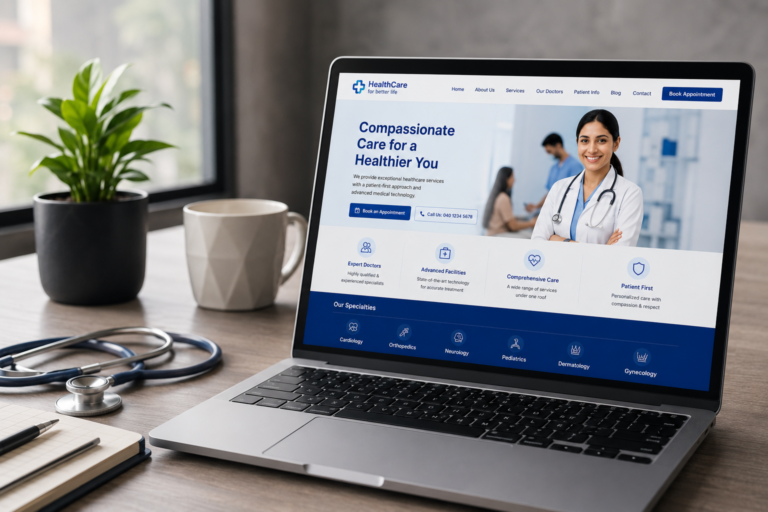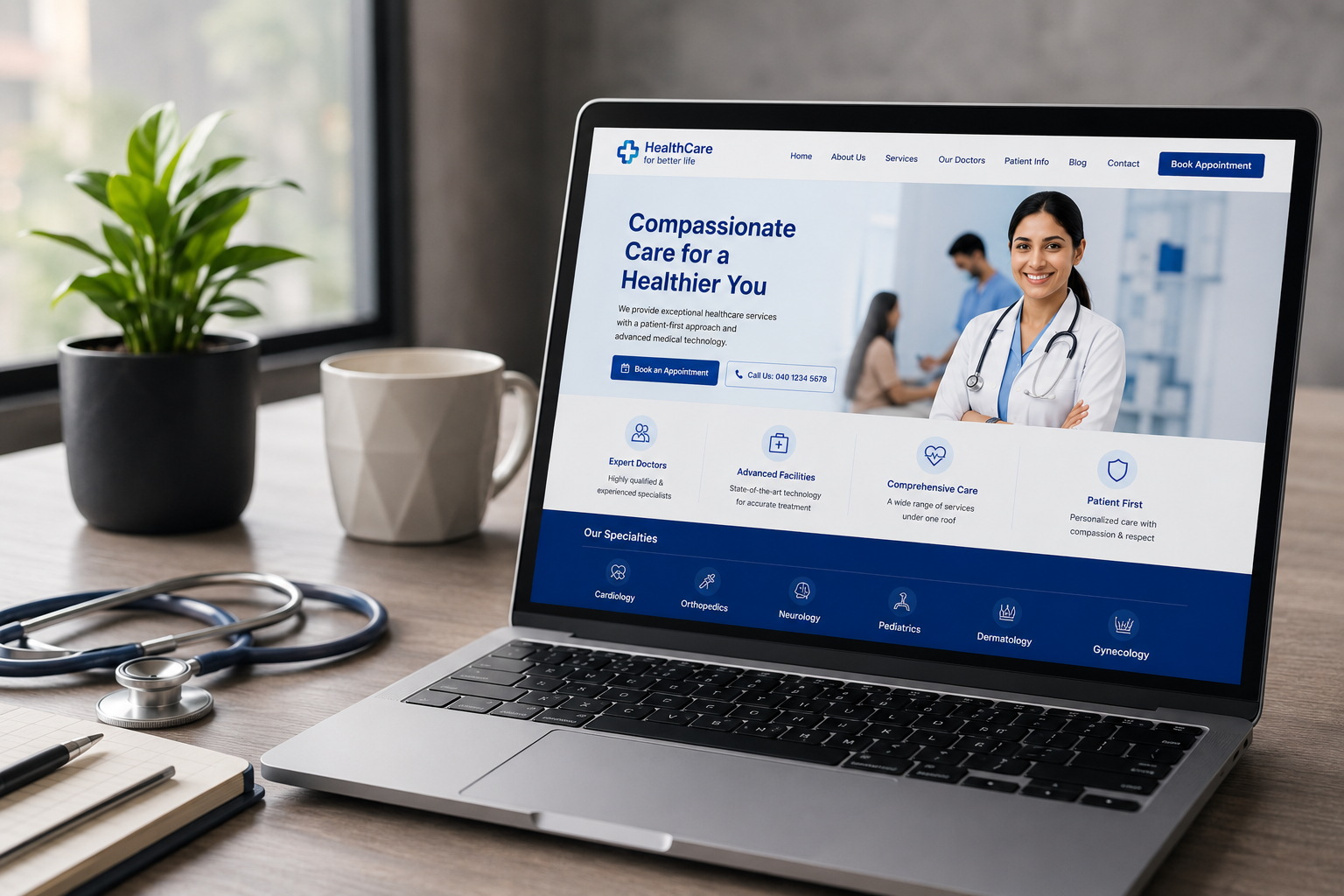
A healthcare website is no longer just an online brochure with an address, phone number and a list of services. For many patients, it is the first interaction they have with a doctor, clinic, hospital, diagnostic centre, dental practice, wellness centre or healthcare brand.
Before booking an appointment, patients may want to know who the doctor is, what services are available, where the clinic is located, whether appointments can be booked online, what other patients have experienced and whether the organisation appears trustworthy. Increasingly, they also expect this information to be available instantly on their mobile phone.
That makes healthcare website design a little different from designing a regular business website. A healthcare website needs to balance visual credibility, accessibility, usability, patient privacy, performance, search engine optimisation and clear communication.
If you are planning a new medical website or considering a redesign of an existing healthcare website, this healthcare website checklist will help you identify the essential elements your website should have in 2026.
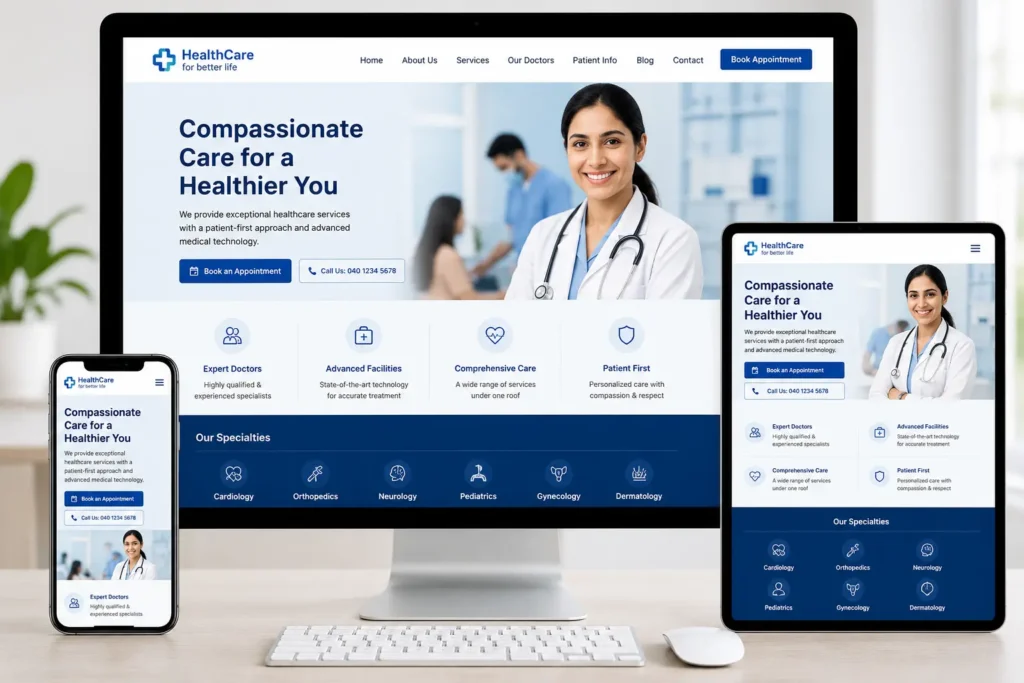
Alt text: Responsive healthcare website design displayed across desktop, tablet and smartphone devices
1. Start With a Clear Healthcare Website Structure
The first item on any healthcare website checklist should be the overall structure of the website.
Patients should not have to search through several pages to understand what your organisation does. The website should make the most important information immediately accessible and easy to navigate.
A typical clinic or medical practice website may need pages such as Home, About the Doctor or Organisation, Services, Doctors or Specialists, Conditions Treated, Patient Information, Blog or Health Resources, Contact and Appointment Booking.
For hospitals and larger healthcare organisations, the structure may need to go deeper, with separate pages for departments, specialists, treatments, facilities, locations, insurance information and patient resources.
The important thing is not to create pages simply because other healthcare websites have them. Every page should have a clear purpose.
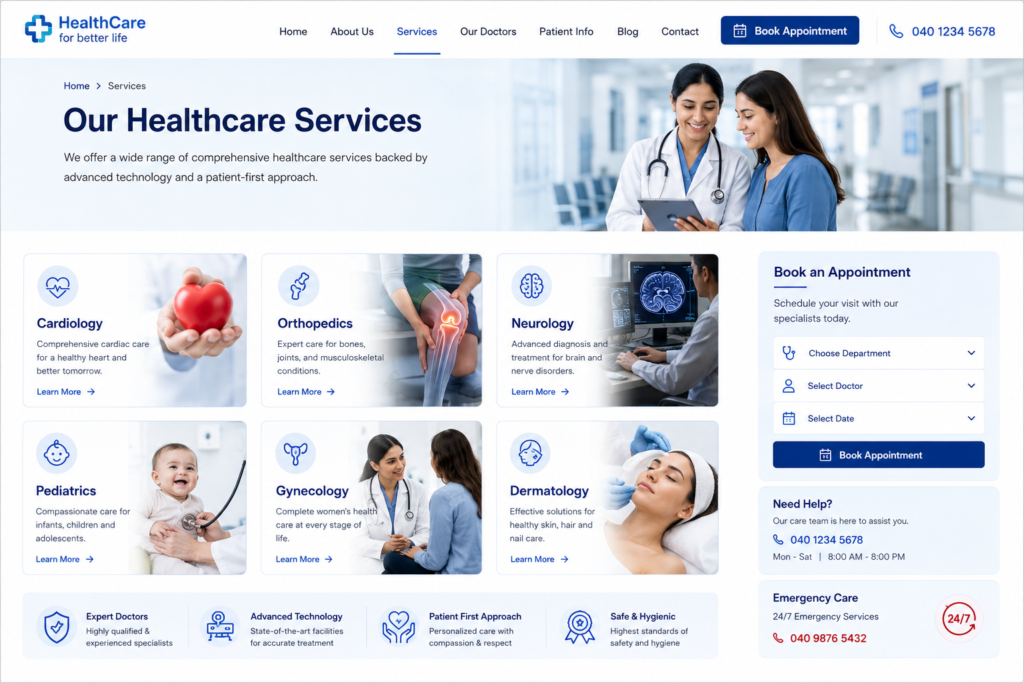
For example, instead of putting every treatment under one generic “Services” page, a hospital may benefit from individual service pages such as Cardiology, Orthopaedics, Neurology or Dermatology. This improves usability for patients while also creating more relevant pages for search engines.
A well-planned information architecture also creates opportunities for internal linking. You can naturally connect service pages to doctor profiles, doctor profiles to appointment pages, and educational articles to relevant treatments or services.
For businesses looking for professional website development services from Hiteshi Garg, the focus should be on creating a structure that supports both the user’s journey and the organisation’s long-term digital goals.
2. Make the Website Immediately Explain What You Do
Healthcare websites often make the mistake of using vague headlines such as “Your Health, Our Priority” or “Caring for a Healthier Tomorrow.”
These statements may sound professional, but they do not immediately tell a visitor what the organisation actually provides.
Your homepage should answer three questions quickly: Who are you? What healthcare services do you provide? What should the visitor do next?
A better healthcare website might clearly communicate something like “Specialist Orthopaedic Care in Hyderabad” or “Comprehensive Dental Care for Children and Adults.”
The supporting content can then explain the organisation’s approach, experience, facilities and areas of expertise.
This is also important for healthcare SEO. Clear page headings and descriptive content help search engines understand what a page is about. Google recommends creating useful, well-organised content for people rather than writing content primarily to manipulate search rankings.
The goal should therefore be simple: make the website easier for patients to understand first, and optimise it for search engines as part of that process.
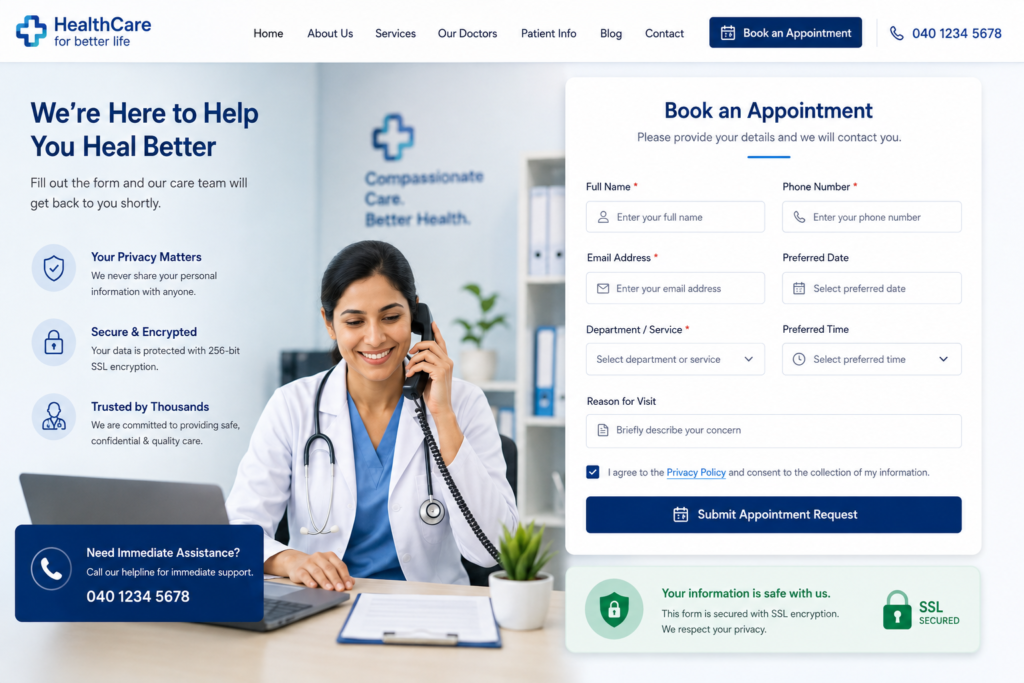
3. Make Appointment Booking Extremely Easy
One of the most important healthcare website features is an obvious and convenient appointment process.
If someone searches for a doctor and lands on the website, they should not have to hunt for a phone number or scroll through multiple pages before finding out how to book.
A clear “Book an Appointment” or “Schedule Consultation” button should be visible in the main navigation and repeated at appropriate points throughout the website.
The booking process itself should also be simple. Depending on the organisation, this could include an online appointment form, calendar-based booking, WhatsApp enquiry, phone call, patient portal or integration with an existing appointment management system.
The form should only request information that is genuinely required at that stage. Asking for excessive personal or medical information before the patient even has an appointment can create unnecessary friction and privacy concerns.
For more complex healthcare organisations, the website may need different booking pathways for different departments, doctors or locations.
The key principle is that the patient should always know what happens after clicking the booking button.
4. Build Strong Doctor and Specialist Profiles
For many healthcare businesses, the doctor is the brand.
Patients want to know who will be treating them before they commit to an appointment. A strong doctor profile can therefore be one of the most valuable pages on a medical website.
A doctor profile should clearly communicate the person’s name, speciality, qualifications, experience, areas of expertise, professional memberships where relevant, consultation locations and appointment information.
A professional photograph can also help establish familiarity and trust.
Instead of writing an extremely long biography, structure the information around what a patient actually wants to know. Who is this doctor? What do they specialise in? What conditions or procedures do they handle? Where do they consult? How can I book an appointment?
For multi-speciality hospitals and clinics, these profiles can also become valuable SEO landing pages when each profile is properly structured and connected to relevant service pages.
5. Create Dedicated Pages for Healthcare Services
A common healthcare website mistake is placing every service into a single paragraph or a generic list.
If a clinic offers multiple services, each important service should ideally have enough dedicated content to answer patient questions.
For example, a dental clinic might have separate pages for Dental Implants, Root Canal Treatment, Cosmetic Dentistry, Orthodontics and Children’s Dentistry.
Each service page can explain what the service is, who it is for, what the consultation process involves, frequently asked questions and how patients can book an appointment.
This creates a much stronger user experience than simply displaying “Our Services” followed by ten service names.
It also supports medical SEO by allowing each page to target a specific search intent instead of forcing every keyword onto the homepage.
6. Make Mobile Responsiveness a Priority
A healthcare website must work exceptionally well on mobile devices.
Patients may discover a clinic through Google Search, Maps, social media or a shared link while they are away from a desktop computer. If the website is difficult to use on a phone, they may simply leave.
Mobile healthcare website design should therefore consider more than simply shrinking the desktop layout.
Buttons should be easy to tap. Phone numbers should be clickable. Appointment forms should be comfortable to complete. Text should remain readable without zooming. Navigation should be straightforward and important information should not be buried beneath oversized graphics.
The mobile version should also contain the same important content as the desktop version.
Google’s guidance around mobile-first indexing specifically recommends ensuring that important content, images, videos and metadata are available on the mobile version of a website.
A good healthcare website should feel natural to use on a smartphone rather than feeling like a desktop website squeezed onto a smaller screen.
7. Pay Serious Attention to Website Accessibility
Accessibility is particularly important for healthcare websites because the audience may include people with visual, hearing, mobility, cognitive or other accessibility needs.
A healthcare website should use sufficient colour contrast, readable typography, clear headings, descriptive link text, keyboard-friendly navigation and meaningful alternative text for informative images.
Forms should have properly associated labels and error messages should clearly explain what needs to be corrected.
Accessibility should also extend to videos, PDFs, appointment forms and interactive components.
The current W3C recommendation is WCAG 2.2, which provides internationally recognised guidance for making web content more accessible. The guidelines address accessibility across different devices and a wide range of disabilities.
You can refer to the W3C WCAG 2.2 guidelines when reviewing the accessibility of a healthcare website.
Accessibility is not simply a technical requirement. It is part of creating a website that more patients can actually use.
8. Build Trust Through Real Information
Healthcare is a high-trust industry.
A beautifully designed website can still feel untrustworthy if it provides very little evidence about the organisation behind it.
Your website should clearly communicate credentials, experience, locations, professional information, facilities and other relevant trust signals.
Patient testimonials can be useful when they are genuine and appropriately presented. Professional photographs of the clinic, hospital, staff and facilities can also make the organisation feel more real than generic stock photography.
If appropriate, you can also include affiliations, certifications, professional memberships, awards and accreditations.
The objective is not to fill the website with badges. It is to give patients enough information to make a confident decision.
This is especially important for healthcare content because Google places additional emphasis on trust and expertise for topics that can significantly affect people’s health and wellbeing.
9. Add Useful Healthcare Content and FAQs
A strong healthcare website should answer questions before patients have to ask them.
This is where a blog, knowledge centre or FAQ section becomes valuable.
Instead of publishing generic articles just to target keywords, create content around genuine patient questions.
For example, a physiotherapy clinic might publish articles about when to see a physiotherapist for back pain, what to expect during the first consultation, exercises after a specific type of injury or how long a typical recovery process may take.
A dermatologist could publish content explaining common skin concerns, when professional evaluation may be appropriate and what patients should expect during a consultation.
The content should be medically responsible and reviewed by an appropriately qualified professional wherever necessary.
This approach also supports healthcare SEO because one useful article can naturally connect to relevant service pages, doctor profiles and appointment pages.
Google’s current guidance strongly favours original, helpful, people-first content rather than content created primarily for search engine traffic.
10. Optimise Every Important Page for Healthcare SEO
Healthcare SEO should be built into the website from the beginning rather than treated as something to add after development.
Every important page should have a clear search intent and a descriptive title.
For example, instead of using a generic page title such as “Services,” a clinic could use “Orthopaedic Services in Hyderabad” if that accurately represents the page.
The same principle applies to headings, URLs, meta descriptions, image alt text and the actual page content.
Google recommends descriptive and concise page titles and specifically advises against keyword stuffing.
That means the goal should not be to repeat “best healthcare website,” “healthcare website design,” or “medical website” twenty times on one page. Instead, use relevant terms naturally throughout useful content.
For example, this article can naturally use phrases such as healthcare website checklist, healthcare website design, medical website design, healthcare SEO, healthcare website accessibility and healthcare website development because those phrases genuinely describe the subject being discussed.
Internal linking is equally important. A service page can link to a related doctor profile, a blog article can link to a relevant service page and every important page should have a logical path towards contacting or booking with the organisation.
Google’s SEO documentation also recommends using meaningful anchor text and linking to relevant pages because links help users and search engines understand the relationship between pages.
11. Optimise for Local Healthcare Searches
For clinics, doctors, dentists, diagnostic centres and hospitals, local SEO can be extremely important.
Patients commonly search for healthcare services using location-based queries such as “dentist near me,” “orthopaedic doctor in Hyderabad” or “dermatologist near me.”
Your website should therefore clearly communicate the locations you serve.
Include the correct business name, address, phone number, opening hours and location information. If the organisation has multiple locations, each major location should have an appropriate page rather than placing every address into one confusing section.
Your Google Business Profile should also be complete and accurate.
Google states that complete and accurate Business Profile information can help businesses appear in relevant local searches. Google also identifies relevance, distance and prominence as key factors in local ranking.
You can review the official Google Business Profile guidance when setting up or improving the local presence of a healthcare organisation.
Where appropriate, the website can also implement LocalBusiness structured data to help Google understand information about the organisation.
12. Make Website Security and Patient Privacy a Priority
A healthcare website may collect sensitive information through appointment forms, enquiry forms, patient portals, newsletter subscriptions or other digital interactions.
That makes security and privacy an important part of healthcare website development.
At a minimum, the website should use HTTPS, keep its CMS, plugins and integrations updated, use secure forms and avoid collecting sensitive information unnecessarily.
The privacy policy should clearly explain what information is collected, why it is collected and how it is handled.
For healthcare businesses operating in India, privacy planning should take the Digital Personal Data Protection Act, 2023 and the Digital Personal Data Protection Rules, 2025 into account, along with other obligations that may apply to the organisation and its specific activities. The Rules were notified in November 2025 and use a phased commencement framework.
You can refer to the Digital Personal Data Protection Act information published by MeitY for the official framework.
If a healthcare organisation operates in the United States and is subject to HIPAA, additional requirements may apply. HIPAA’s Privacy and Security Rules address protected health information and safeguards for electronic protected health information.
Importantly, a healthcare website should not casually claim that it is “HIPAA certified” or “HIPAA compliant” without appropriate legal and technical verification. HHS specifically warns against misleading claims around HIPAA compliance and health-data practices.
13. Keep the Website Fast and Performance-Focused
Healthcare websites often become slow because they rely on large hero images, unoptimised photographs, multiple animation libraries, unnecessary plugins and third-party scripts.
This can directly affect the patient experience.
Someone searching for a doctor may not wait several seconds for a homepage to load, especially on a mobile connection.
Images should therefore be compressed and served in appropriate formats. Videos should not automatically load massive files in the background. Fonts and scripts should be optimised, and unnecessary plugins should be removed.
Google’s Core Web Vitals measure real-world loading performance, responsiveness and visual stability. Google recommends aiming for an LCP of 2.5 seconds or less, INP below 200 milliseconds and CLS below 0.1 for a good user experience.
Performance should not be treated as a final-stage optimisation. It should influence the design and development decisions from the beginning.
14. Use High-Quality Images Without Making the Website Look Generic
Healthcare websites often rely heavily on stock images of doctors smiling at cameras or patients sitting in consultation rooms.
There is nothing inherently wrong with stock photography, but excessive use can make a healthcare brand look interchangeable.
Where possible, use authentic photographs of the actual doctors, clinic, hospital, facilities, equipment and team.
Images should also support the content rather than simply fill empty spaces.
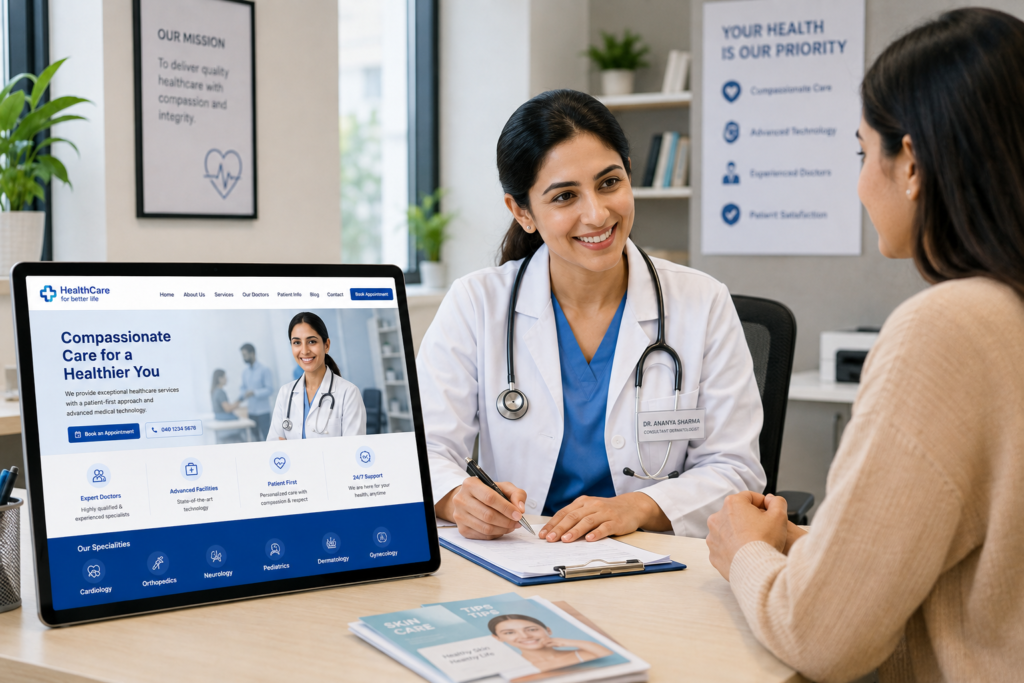
Every meaningful image should have descriptive alt text. Google recommends using descriptive alt text so that search engines and users can better understand what an image represents.
For example, instead of writing:
“doctor”
A better alt text would be:
“Dr. Priya Sharma consulting with a patient at a Hyderabad dermatology clinic”
The alt text should describe the image accurately rather than becoming an opportunity to insert unnecessary keywords.
15. Give Patients Clear Contact and Emergency Information
Healthcare websites need to make contact information extremely easy to find.
The phone number should be visible and clickable on mobile devices. The address should be clear, and a map or directions link can be useful for physical clinics.
Opening hours should be accurate and easy to locate.
If the organisation provides emergency services, the emergency contact information should be clearly distinguished from regular appointment information.
The website should never make patients guess whether a phone number is for appointments, reception, emergency care or general enquiries.
A simple contact experience can make a significant difference because the ultimate purpose of many healthcare websites is to help a patient take the next step.
16. Add Clear Calls to Action Throughout the Website
Every major page should have a logical next step.
On a doctor profile, that might be “Book an Appointment.”
On a service page, it could be “Schedule a Consultation.”
On a location page, it might be “Get Directions.”
On a healthcare article, it could be “Speak to Our Specialist” or “Explore Our Services.”
This does not mean every section needs a huge button.
Instead, the website should guide the visitor naturally through the journey from discovering the organisation to understanding its services and finally taking action.
A well-designed CTA is particularly important on mobile because users often scan rather than read every word.
17. Add Structured Data Where It Makes Sense
Structured data can help search engines better understand important information about a healthcare organisation and its pages.
Depending on the website, relevant structured data may include organisation information, local business information, breadcrumbs, articles and other supported content types.
For local healthcare organisations, accurate business information can be particularly useful. Google recommends using the most specific LocalBusiness subtype that applies and validating structured data before deployment.
Structured data should never be used to mark up information that is not actually present on the page.
The principle is simple: use structured data to accurately describe the content that already exists rather than trying to manipulate search results.
18. Make the Website Easy to Maintain
A healthcare website is not finished when it goes live.
Doctor information changes. Opening hours change. Services are added. New specialists join. Contact information gets updated. New articles are published. Privacy requirements evolve.
The website should therefore be built using a manageable content system that allows authorised users to update important information without rebuilding the entire website.
There should also be a process for regularly reviewing old content.
An outdated doctor profile, incorrect clinic timing or broken appointment link can damage trust quickly.
A quarterly website review is a practical starting point for many healthcare businesses, with more frequent checks for websites where information changes regularly.
19. Test the Entire Patient Journey Before Launch
Before launching a healthcare website, do not only check whether the pages look good.
Test the actual patient journey.
Search for the clinic on Google. Open the website on a mobile phone. Find a doctor. Open a service page. Try to book an appointment. Submit a contact form. Click the phone number. Check the map. Read the privacy policy. Try navigating the website using a keyboard. Check whether images have meaningful alt text.
Test forms from different devices and email addresses.
Check what happens after a patient submits an enquiry.
Make sure the team knows where new enquiries are being sent.
A website can look perfect while still failing at one of these critical steps.
This is why healthcare website development should include testing for usability, accessibility, performance, forms, security, SEO and real-world user journeys before launch.
Quick Healthcare Website Checklist
Use this as the final pre-launch checklist for your healthcare website:
- Website clearly explains the healthcare organisation and its speciality
- Navigation is simple and easy to understand
- Doctor and specialist profiles are complete
- Important healthcare services have dedicated pages
- Appointment booking is easy to find
- Contact information is clearly visible
- Website works properly on mobile devices
- Website uses HTTPS
- Forms collect only necessary information
- Privacy policy is clearly accessible
- Relevant data-protection requirements have been reviewed
- Website meets appropriate accessibility standards
- Images are optimised and have descriptive alt text
- Website pages load quickly
- Page titles and meta descriptions are optimised
- Healthcare SEO keywords are used naturally
- Internal links connect relevant pages
- Google Business Profile is accurate and updated
- Local business information is consistent
- Relevant structured data is implemented
- Testimonials and trust signals are genuine
- Healthcare content is useful and medically responsible
- Appointment and contact forms have been tested
- Emergency information is clearly presented where applicable
- Broken links and technical errors have been checked
- Website has a plan for regular updates and maintenance
Final Thoughts: A Healthcare Website Should Make Patients Feel Confident
A successful healthcare website is not simply a collection of attractive pages.
It should make patients feel informed, comfortable and confident about taking the next step.
That means the website needs to communicate the right information clearly, make appointments easy, work smoothly on mobile devices, respect accessibility requirements, protect personal information and provide useful content that answers real patient questions.
From an SEO perspective, the same principles apply. Instead of trying to fill every page with keywords, healthcare businesses should build useful pages around genuine patient search intent. Clear service pages, specialist profiles, local information, helpful healthcare content and strong internal linking can create a much stronger search presence over time.
Google’s own SEO guidance reinforces this approach: create useful, well-organised content for people, use descriptive titles and links, optimise images and provide a good overall page experience rather than focusing on keyword repetition.
For healthcare businesses planning a new website, the best approach is to treat the website as part of the patient experience rather than as a standalone marketing asset.
A thoughtful website development and UI/UX approach can bring these elements together into a healthcare website that looks professional, performs well, communicates trust and gives patients a clear path from their first Google search to their next appointment.